A palette is a list. A theme changes behavior.
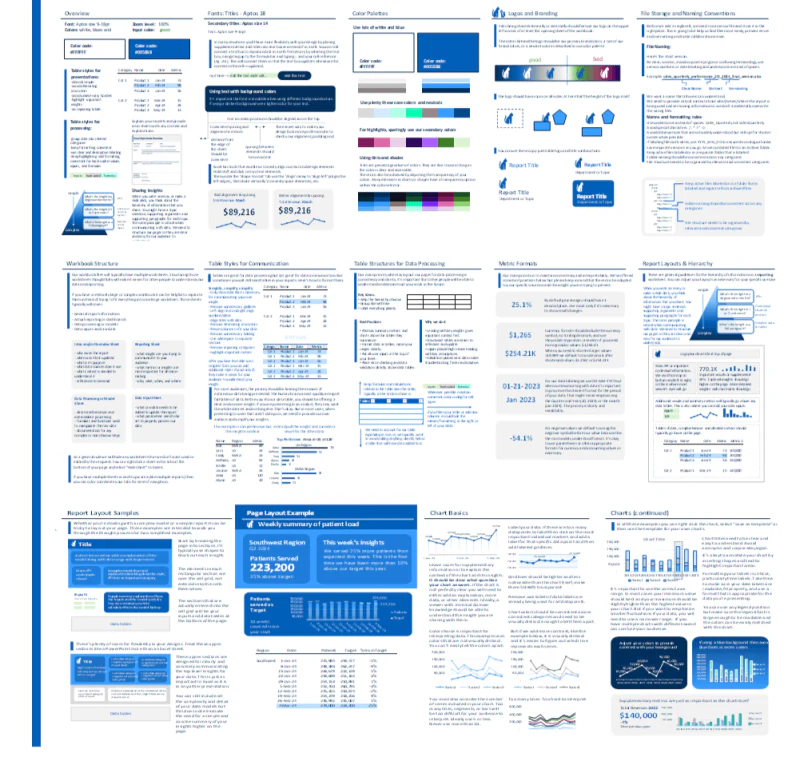
The Excel Theme Guide is a printable reporting-system reference with a worked Excel example and an included overview-and-tutorial video. It shows how to build reports around Excel’s actual theme controls, so new charts, tables, shapes, and text can begin inside the right system instead of being repaired one object at a time.
What the guide actually covers
Color + type
Dark and Light pairs, Accent 1–6, heading and body fonts, tints, hierarchy, and the difference between theme-aware choices and hard-coded formatting.
Layout + hierarchy
Alignment, spacing, report layouts, workbook structure, logos, branding, and the rules that make separate pages feel related.
Tables + charts
Table styles, metric formats, chart rules, data-processing structures, file naming, storage, handoffs, and sharing useful insights.
What you receive
- A printable Excel reporting-system guide
- A worked Excel example showing how colors and fonts connect across the system
- An overview-and-tutorial video explaining the principles and how to make changes
How it works
Excel’s theme system starts with the Dark and Light pairs, Accent 1–6, hyperlink colors, and heading and body fonts. Those choices can then flow into theme-aware charts, tables, shapes, text, and the broader reporting system around them.
If you want to understand the foundation before buying, start with Josh’s free guide to creating a custom Excel theme. This product turns that foundation into a worked, reusable reporting reference.
What a theme does—and what it does not
An Office theme gives you reusable colors, fonts, and effects. It is not a complete design system by itself. A useful reporting system also needs layout, spacing, number formats, chart rules, KPI conventions, readability and contrast rules, and examples that show people how to apply them.
A theme can name a font, but it cannot install that font for someone else. It also cannot reliably remap colors that were manually hard-coded. Those limitations matter when you are building files that need to survive handoffs and future updates.
Is this the right one?
Best fit
You want to build Excel design guidelines, reusable reporting standards, or a visual system that survives the next chart, page, and handoff.
Probably not the best fit
You mainly want a shelf of finished dashboards and charts to deconstruct, or you expect one click to repair every hard-coded workbook. For the library, choose the Dashboard Toolkit.
Excel compatibility
Works on Windows and Mac. Basic theme color and font changes work everywhere; full theme customization is Windows-only — but any theme you build on Windows carries over to Mac.
Carry the design into another workbook
Read the template reuse guide for copying shapes, reusing chart formatting, and checking the source numbers.