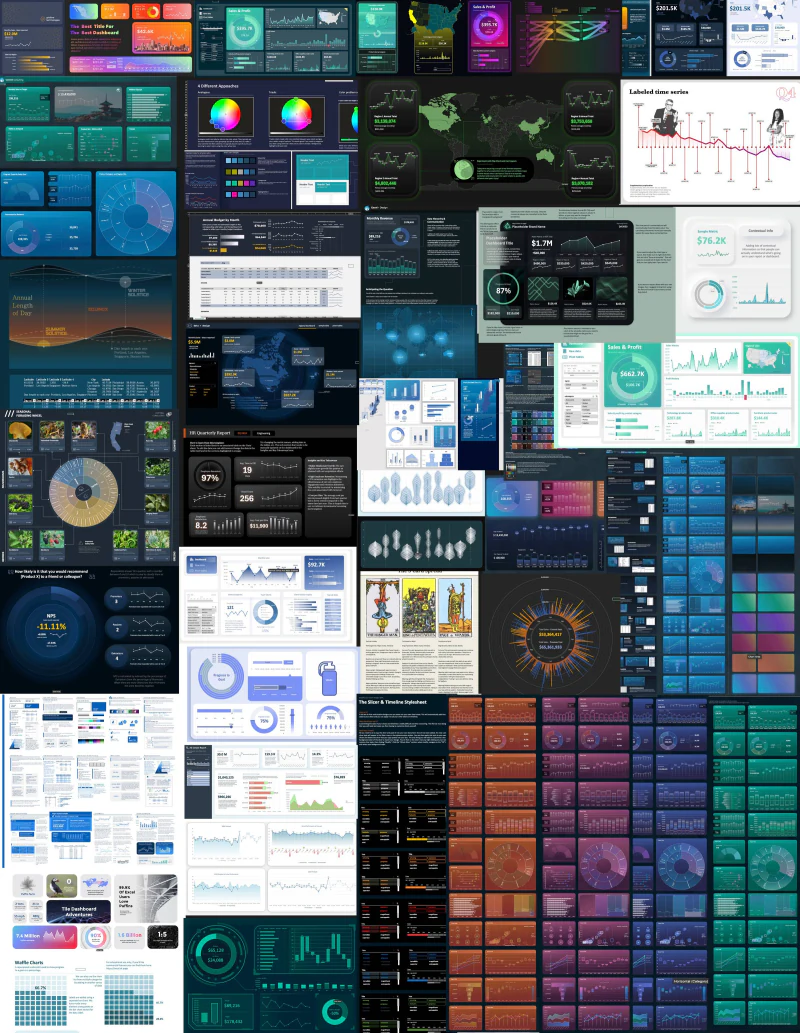
What's actually in the Everything Bundle
This bundle brings together 30+ workbooks from the Big Excel Energy newsletter, hundreds of charts and design elements, the full Dashboard Toolkit, and the Excel Theme Guide. It gives you both sides of better Excel work: finished files you can open and deconstruct, plus a system for making your own reports feel consistent.
Template library
Dashboards, charts, reporting examples, and visual experiments from the Big Excel Energy newsletter archive.
Dashboard Toolkit
Five style-and-chart libraries, three sample dashboards, source tables, instructions, and reusable page elements.
Excel Theme Guide
A printable reporting-system reference and tutorial covering themes, type, color, hierarchy, layouts, tables, metrics, charts, and handoffs.
Why I built it this way
I do not think Excel design means putting one dark rectangle behind four default charts. I made these files to test how far Excel can be pushed as a design medium—and to leave the construction visible so somebody else can learn from it.
The library gives you finished decisions to study: what deserves attention, where the spacing comes from, how the chart fits the story, and which details make a report feel intentional. The Toolkit and Theme Guide make those decisions easier to repeat in your own work.
How I would use it
Start with the file closest to the problem in front of you. Trace how its data, charts, layout, and formatting work together. Then adapt the pieces that help instead of rebuilding the entire idea from a blank worksheet.
Some files are complete, connected reports. Others are design studies, chart examples, or reusable references. The library is most useful when you treat it as a collection of proven starting points rather than forcing every project into the same template.
Is this the right one?
Best fit
You build Excel reports regularly and want the examples, reusable components, and reporting-system guidance together—without wondering which half you left behind.
Probably not the best fit
You need one workflow-specific file that accepts your data with minimal adaptation. Start with the individual template catalog instead.
Excel compatibility
Designed for Microsoft Excel on Windows and Mac—Microsoft 365 or Excel 2021 recommended. Built for Excel, not Google Sheets. Most template content works on either platform; full custom-theme creation is Windows-only, although Windows-created themes can be used on a Mac.